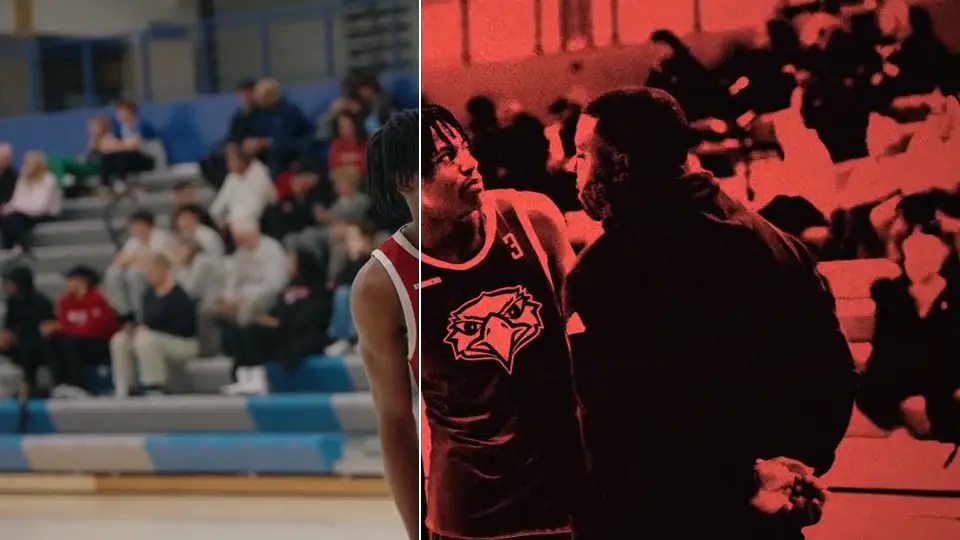
Make game footage look like a 2004 camcorder. One drag.
ROOK Ultimate VHS
83 VHS, tape, grunge and CRT effects for DaVinci Resolve, built for horizontal, vertical and 4x5 timelines.
Buy now: $45Instant download · One-time payment
Needs DaVinci Resolve Studio 19.1 or newer (the paid version). Won’t run on free Resolve.
439 people have bought from ROOK
Built for real editors
Speed up your workflow. Three steps from bin to timeline.
Drag it from the Power Bin
Pick the bin for your frame rate and shape, then drop the clip on the track above your footage.
Pick the look from one dropdown
Every style sits in the Inspector, so you never grab the wrong file.
Set Exposure, done
1.0 is the look as designed. Reach for Highlights only if whites still clip.
The VHS looks, raw then ROOK
11 of the 15 VHS looks. Each one is built three times, Horizontal, Vertical and 4x5, so nothing stretches on your timeline.
Hi8 Warm Cyan Night Handycam 2004 Nightshot Vibrant Summer Blown-Out Digicam Flash Super 8 Overdrive Tape VHS Classic Nightshot Classic Nightshot Lite
Pick a look. Drag the line.
One clip, three of the 35 Grunge looks. Raw is on the left.
83 effects, 113 files
- VHS looks15Vibrant VHS, Handycam 2004, Hi8 Warm, Digicam Flash, Summer Blown-Out, Cyan Night, Overdrive Tape, Super 8, VHS Classic, VHS Classic Warm, Nightshot Lite, Nightshot Classic, Nightshot Vibrant, plus Legacy Digicam Flash and Overdrive Tape for S-Log3. 45 files, one per shape.
- Tape effects16Tracking errors, tear hits at three lengths, rainbow tear, rolling tape, head-switch, dubbed tape, speckle lines and a Tape Damage control.
- Grunge looks35Halation 7, Dirty CRT 7, Film Damage 7, Colour Noise 7, Grain 6, Nightshot 1.
- CRT6Light, Classic, Intense, B&W, Green Monitor and a CRT Warp In-Out transition.
- VHS transitions11Glitch, Tracking Tear, Roll, Static Sweep, Color Bleed and Dropout, in and out.
21 Power Bins: Horizontal, Vertical, 4x5, Tape, Grunge, CRT and VHS Transitions, each at 24, 30 and 60 fps.
Why ROOK
Works on graded or log footage
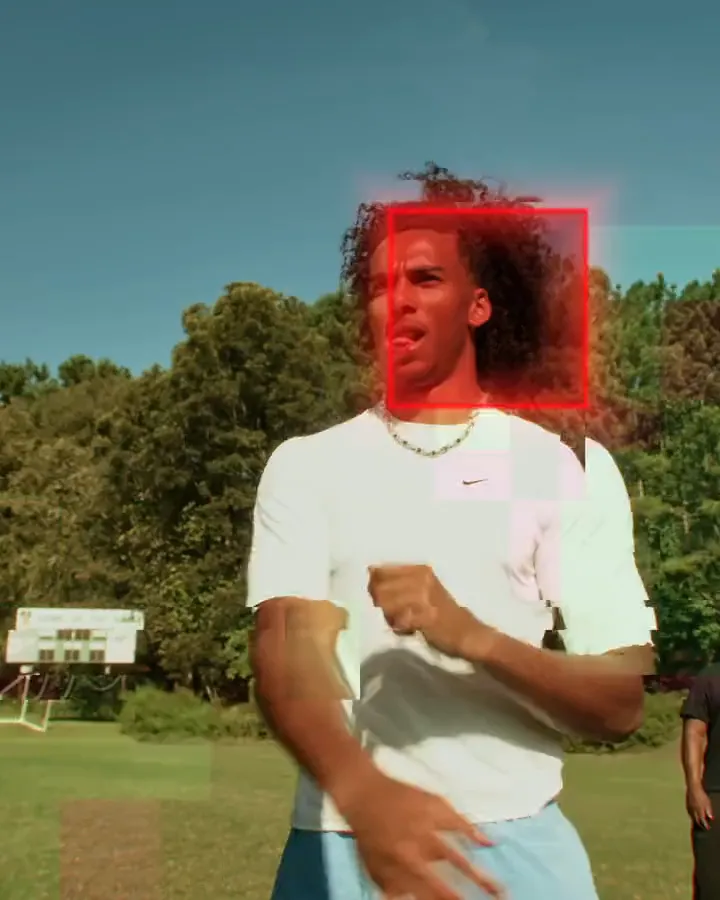
Here Hi8 Warm goes straight onto flat S-Log3 footage and the ROOK Grade control in the Inspector does the conversion. On graded footage, leave it off. Built on sports, works on anything you shoot.
Get it in Pro Editor
Ultimate VHS plus every other ROOK Resolve pack and the Powergrade. $24 more than Ultimate VHS on its own. $120 if you bought the packs separately.
See Pro Editor: $69FAQ
Which frame rates?
24, 30 and 60 fps. There is a Power Bin for each.
Vertical video?
Yes. Use the Vertical bin, or 4x5 for 4x5. The looks are built per shape so nothing stretches.
Do I need S-Log3 footage?
Only for the two Legacy looks (Digicam Flash and Overdrive Tape). VHS Classic and VHS Classic Warm are set to S-Log3 by default; switch Footage Color Space in the Inspector for anything else.
I bought the old ROOK VHS. Do I get this free?
No. Ultimate VHS is a new pack, not an update of the old two-effect plugin. Past ROOK VHS buyers get a code that brings it to $15. Check your email from us, or DM us on Instagram or email aiden@rookdm.com with your order email.
Can I keep the old ROOK VHS installed?
Yes. Ultimate VHS uses its own folders and bin names, so the two don’t clash.
Do I need DaVinci Resolve Studio?
Yes. The effects need DaVinci Resolve Studio, the paid version. They won’t run on the free version of Resolve.
Mac or Windows?
Both. The install guide has the folder paths for each.
Can I use it on client work?
Yes, on anything you edit. Don’t share or resell the files.
Do I get updates?
Yes, free, for life. Download the new version from your Payhip link, unzip over the old one, restart Resolve, then delete the old bin and import the new one.
No refunds. These are digital files, so once they are downloaded the sale is final.