Proof First
Drag The Handle. See The Difference.
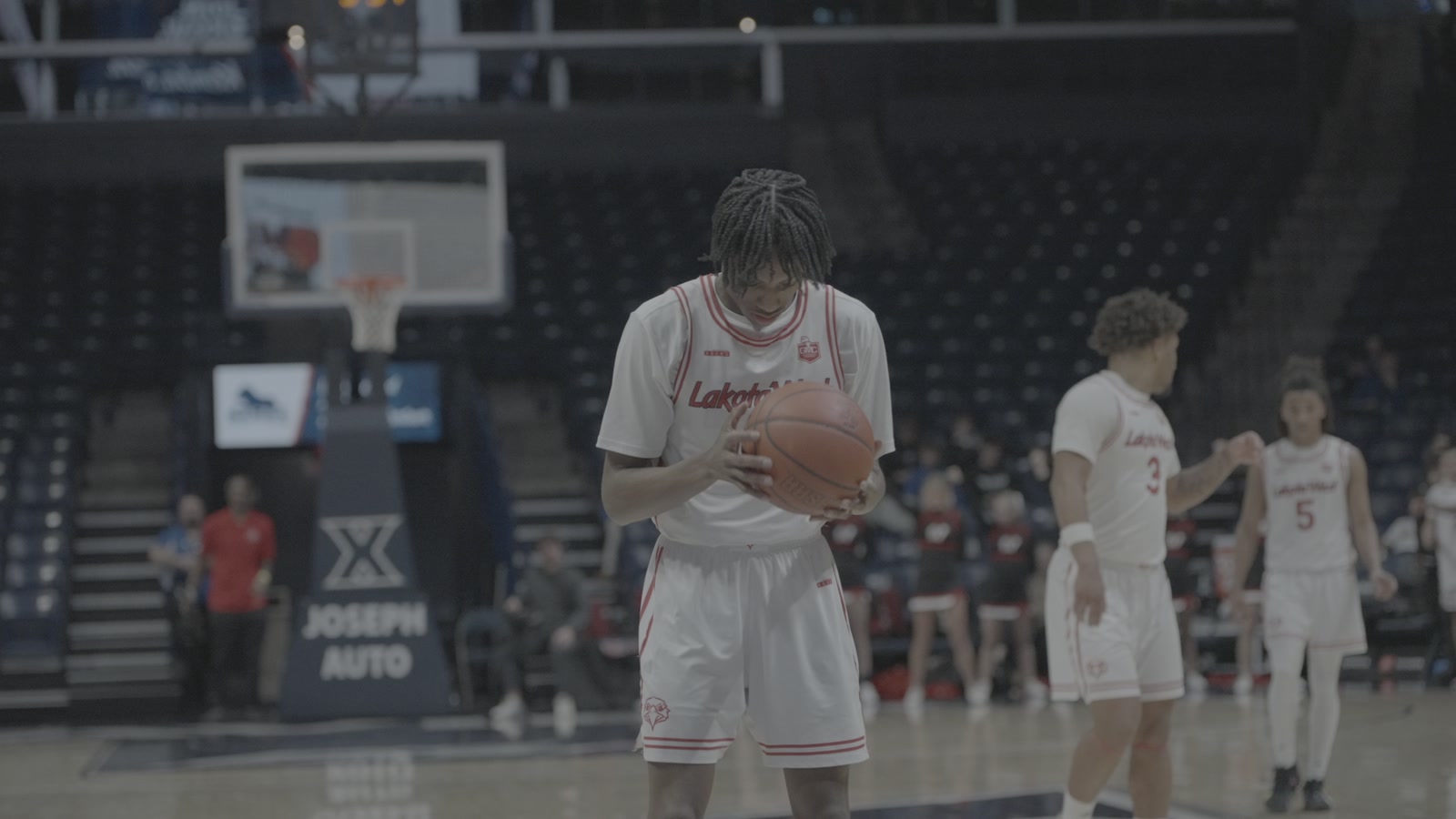
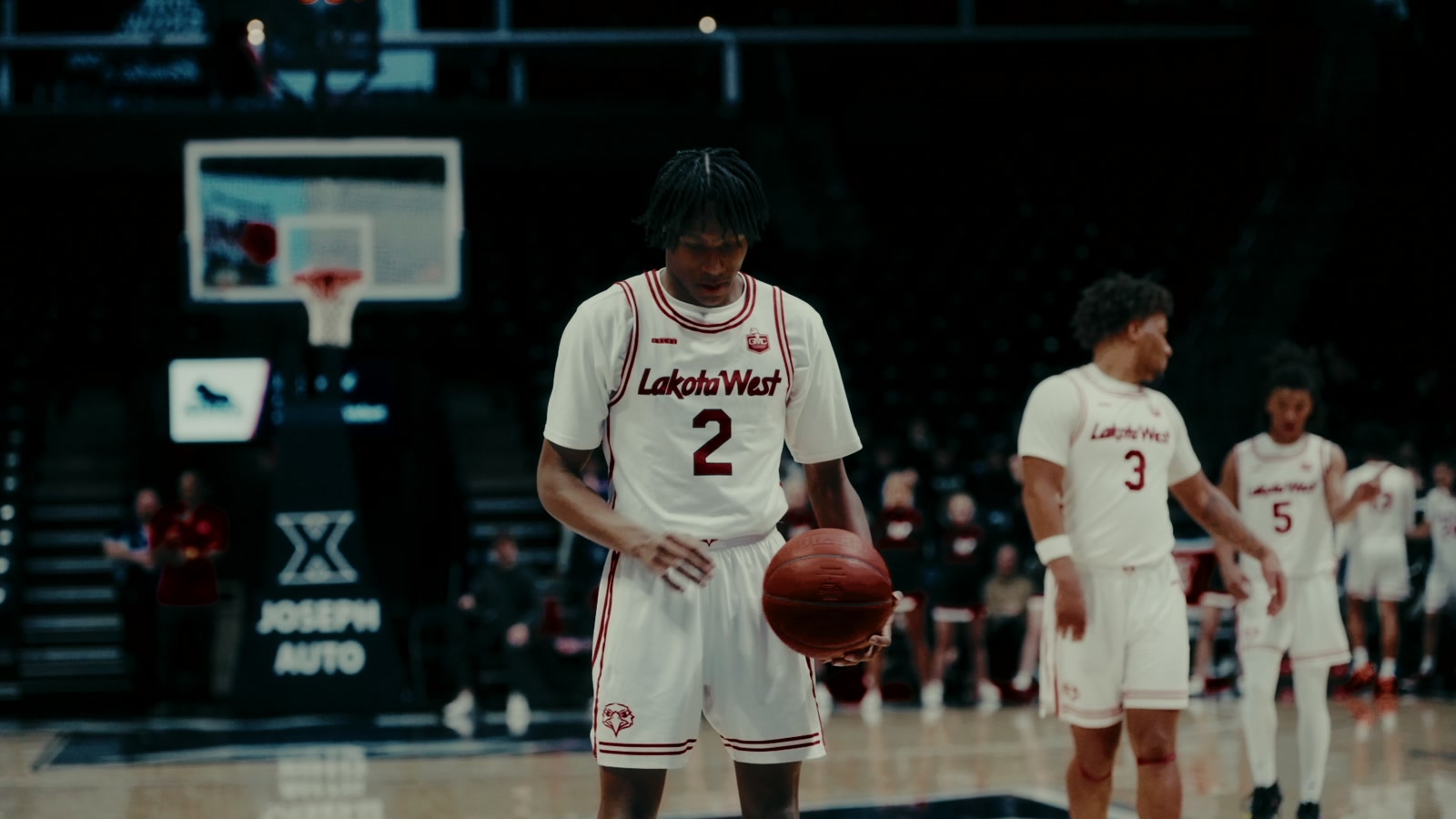
Straight off the sensor vs. one PowerGrade.
See It Work
From Flat Log To Graded In 30 Seconds
What You Get
Everything In The Pack
One custom PowerGrade, built node by node for Slog 3. Apply it in one click, then tweak any part of the chain.
- A Real Node-Based GradeNot a flat LUT you’re stuck with — a full PowerGrade node tree you can open up and adjust piece by piece.
- Built For Sony Slog 3Tuned specifically for Slog 3’s color science, so skin tones and turf land right instead of “close enough.”
- Any Lighting, Same LookHolds up in bright daylight and dim gym light — vibrant, cinematic color without crushing your shadows.
- One-Click Apply, Then TweakDrop it on a clip and it’s graded. Push saturation, pull contrast, make it yours — every node stays editable.
Word Of Mouth
Editors Are Already On It
“Too tough🔥”— @brainstormgrp, on the launch post
“my lord aiden”— @rasta_zo, on TikTok
“How did u do that slide show effect”— @_tsz4, on the launch post
Get The Pack
Rooks Powergrade
One-time purchase. Yours forever.
Buy Now — $25- Instant download
- Requires DaVinci Resolve Studio
- Use on unlimited projects
Want every ROOK effect? Get the ROOK Editor Kit — $69 and save.
Questions
FAQ
Does it work with the free version of DaVinci Resolve?
No — this one needs DaVinci Resolve Studio. PowerGrades rely on Studio features, so the free version won’t cut it here. If you’re already editing in Studio, you’re good to go.
How do I install it?
Import the PowerGrade into your gallery on the Color page, then apply it to any clip with a click. A step-by-step video guide is included with your download so you’re graded within minutes of buying.
Does it only work on Sony Slog 3?
It’s built and tuned specifically for Slog 3 — that’s where you’ll get the exact look on the page. Other log profiles can work as a starting point, but expect to adjust the grade to compensate.
Can I use it on client work?
Yes. Your license covers unlimited personal and commercial projects — client edits, paid gigs, monetized content. The only thing you can’t do is resell or redistribute the files themselves.
What if I have issues?
Reach out through the store or DM us on Instagram/TikTok and we’ll get you sorted. Most install issues are fixed by a Resolve restart — the included guide covers the common ones.
All sales are final. Instant digital download, no refunds.
“What preset is this??” — the comments